Conflicts
A banner shows the merge, rebase or cherry-pick in progress with Continue and Abort. Resolve each file in the built-in 3-way merge editor, or take ours or theirs. Choosing a side is undoable.
⌥⌘M
Features
Since is a client for Git on the Mac. You work directly on the commit graph, one key per action, and ⌘Z takes back anything you did.
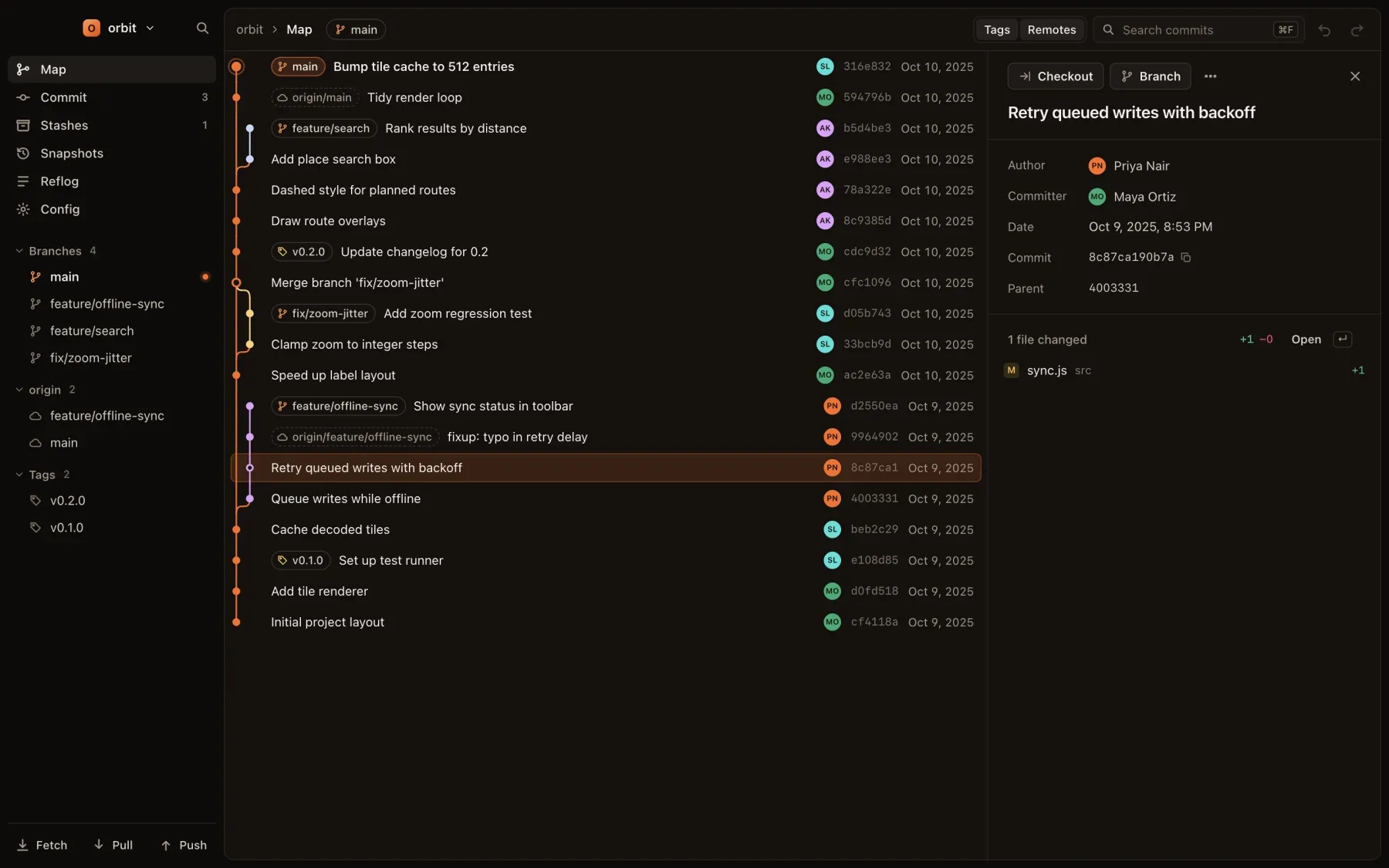
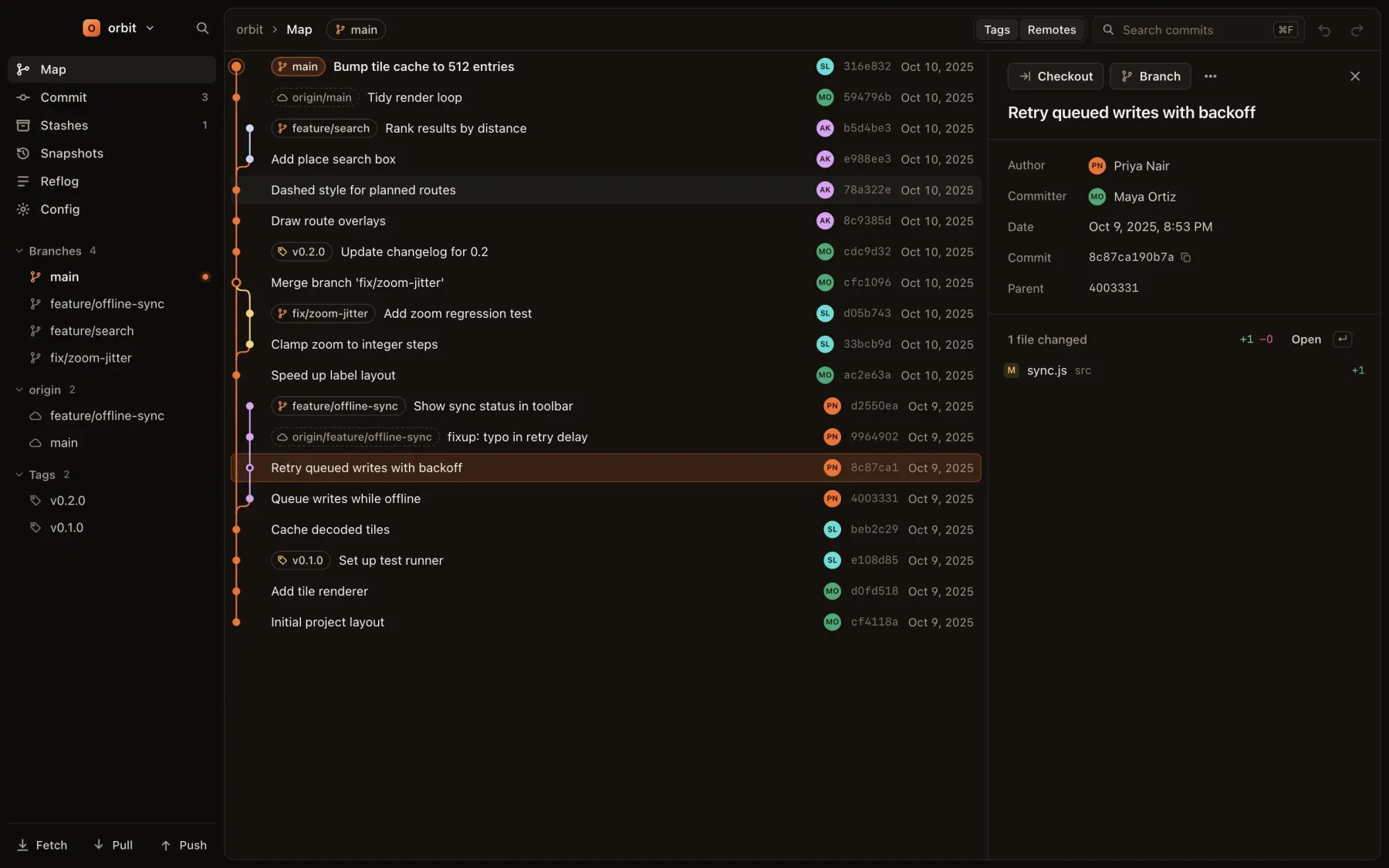
The map draws every branch, tag and remote branch as a line of history you can read at a glance. It refreshes the moment anything changes on disk, from Since or from your terminal.
↓↑
Space
⌘F/
H
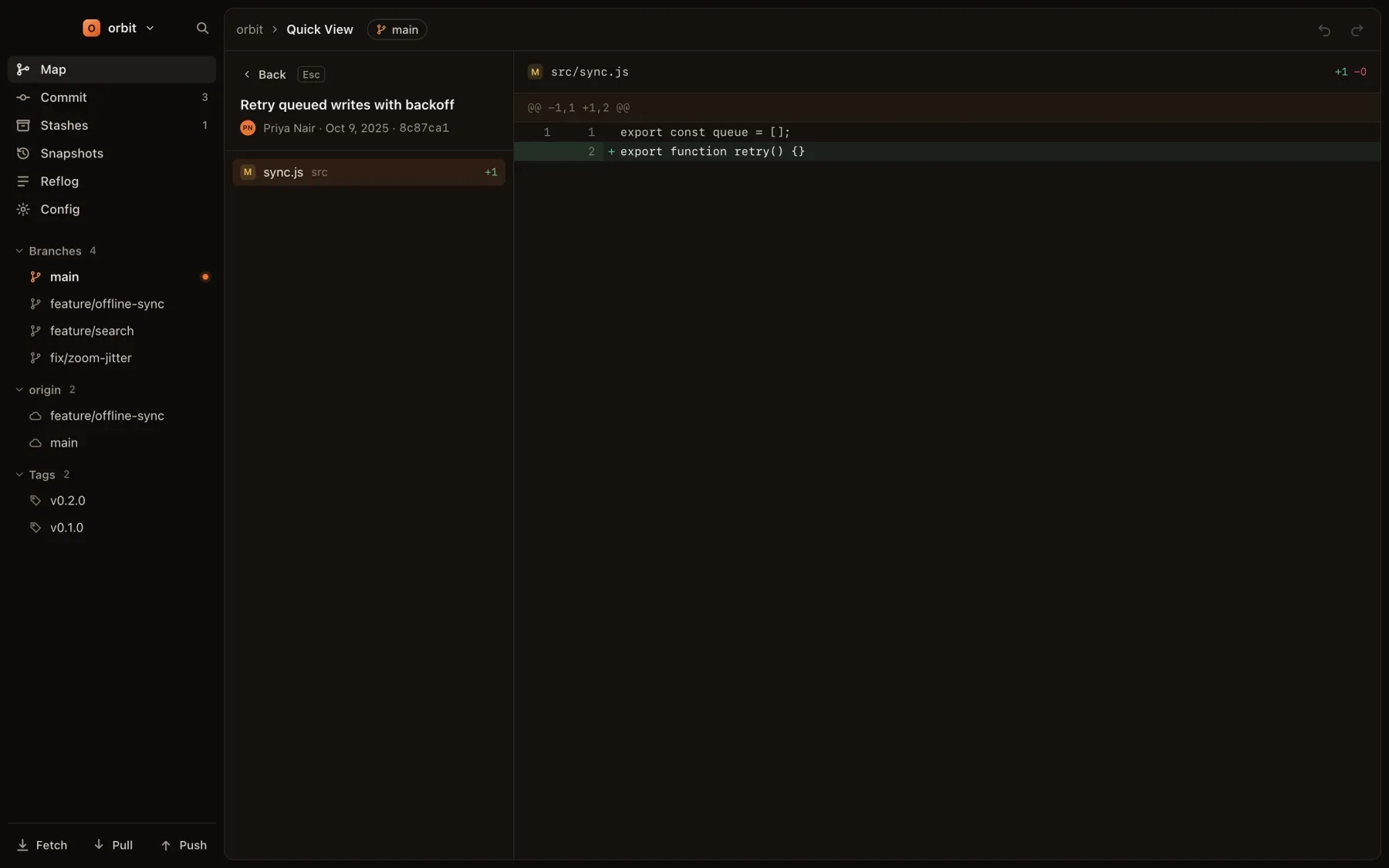
Press Return on any commit to open its files and diffs full height. Step through the files, then press Escape to land back where you were.
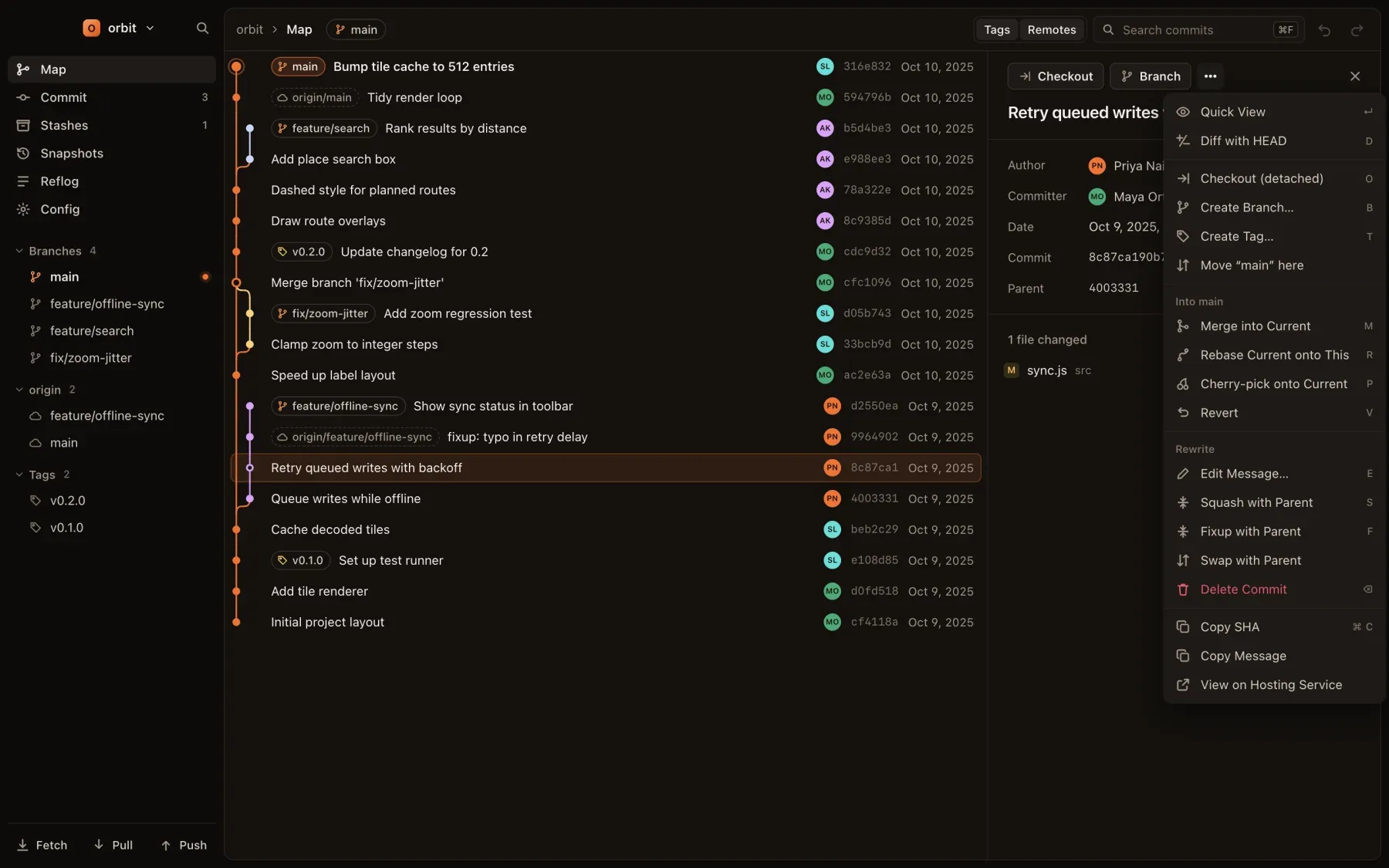
Select a commit and press one key. Reword, squash or fixup into its parent, split it by lines, swap it with its parent, delete it, rebase onto it, merge it, cherry-pick or revert it. No editor opens and no todo list to edit.
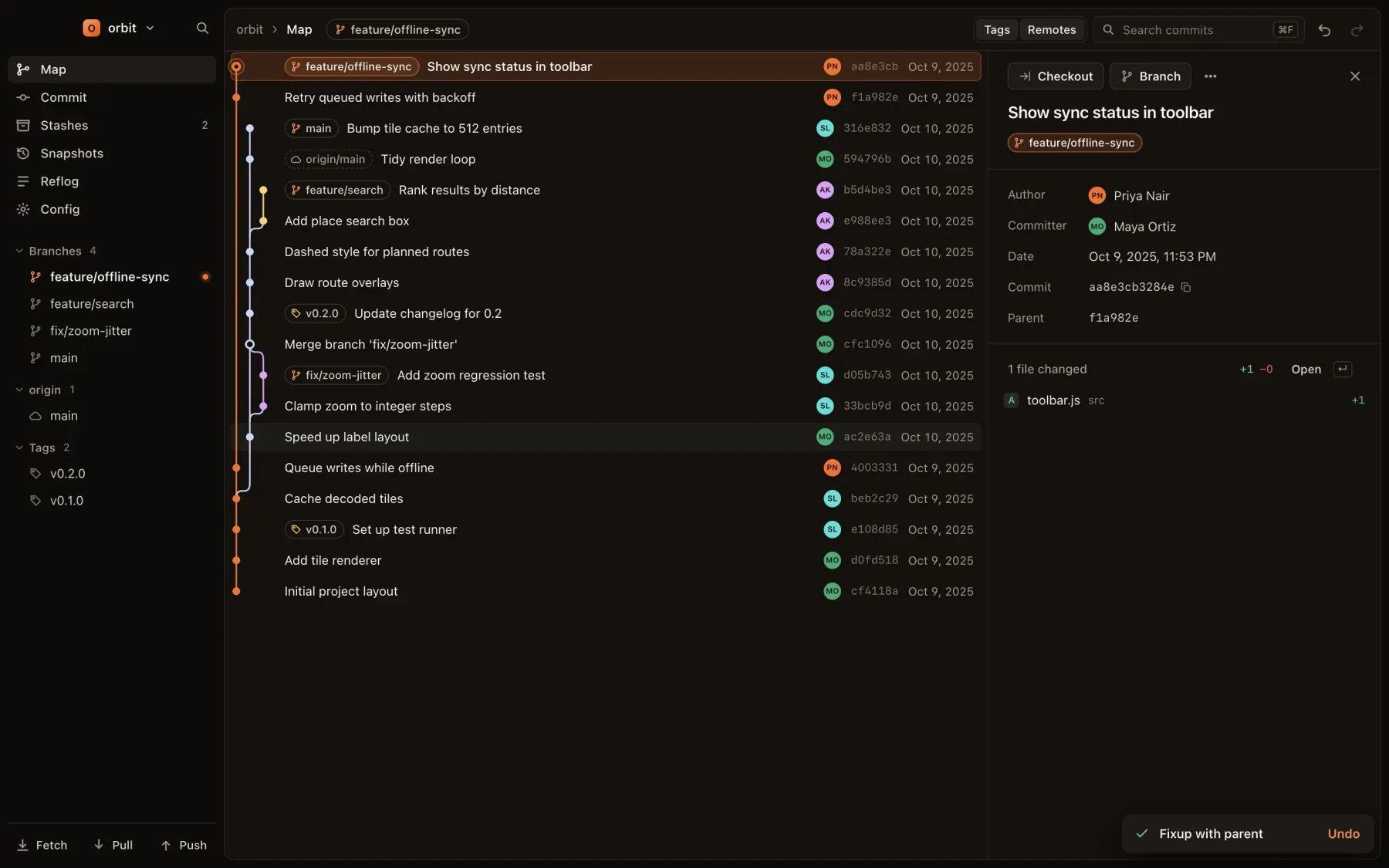
Every change to branches, tags and HEAD is recorded: rebase, reset, merge, commit, amend, cherry-pick, deleting a branch. So are the actions that throw work away, like discarding files or lines, a hard reset or dropping a stash. Undo puts it all back, and the history survives a restart.
There is no limit on how far back you can go. Pushes change a remote, so they can’t be undone locally; Since asks before a force push.
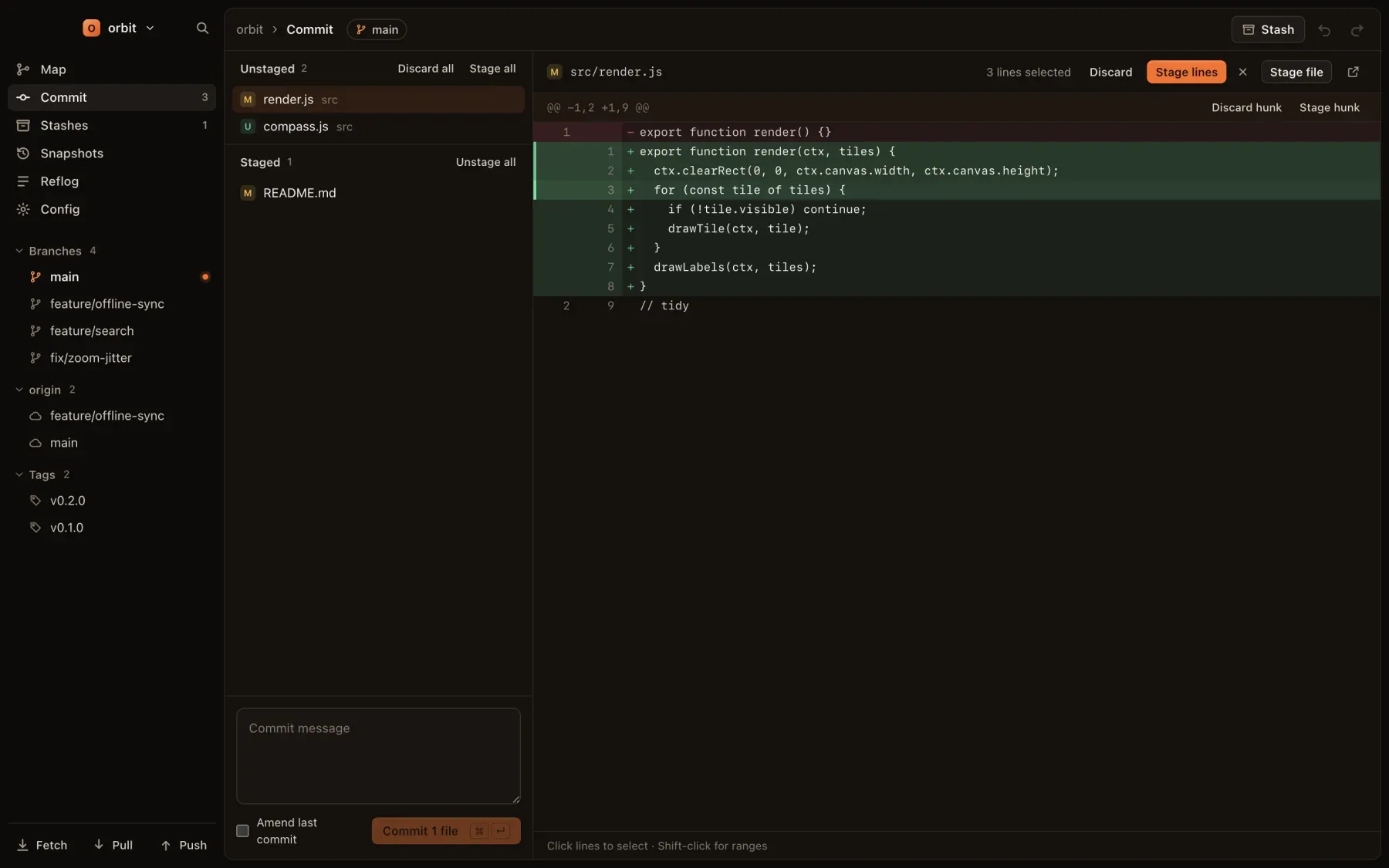
Stage or discard a whole file, a hunk or single lines. Click a line to select it, shift-click for a range. Amend the last commit with a checkbox, and commit with ⌘Return.
Discarding files, hunks or lines is undoable too.
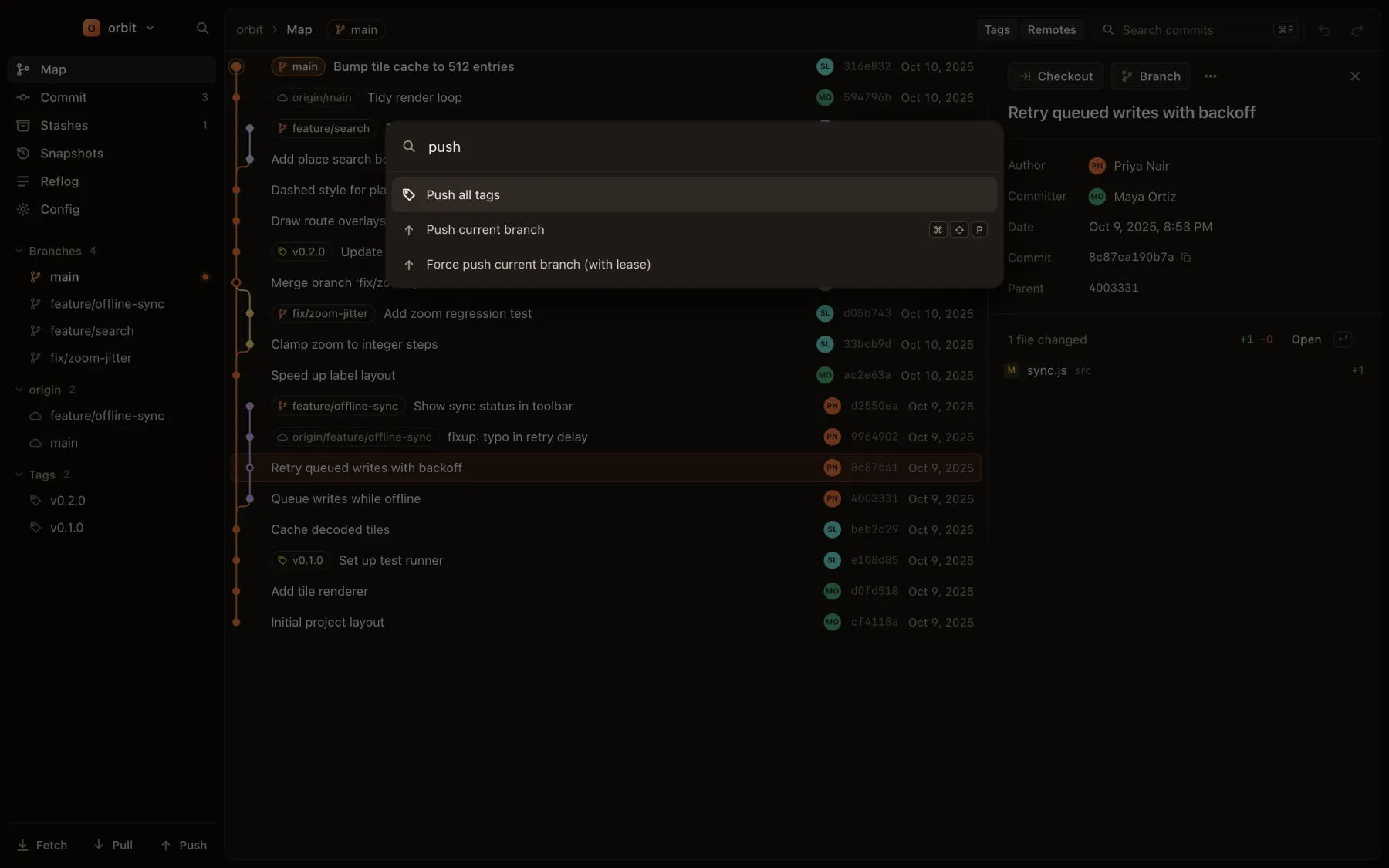
Press ⌘K and type. Commands, views, branches to check out, refs and commits are all in one list, each with its shortcut next to it.
A banner shows the merge, rebase or cherry-pick in progress with Continue and Abort. Resolve each file in the built-in 3-way merge editor, or take ours or theirs. Choosing a side is undoable.
⌥⌘M
Add a worktree, switch the window to it or open it in a new one, lock and remove it. Other worktrees’ branches are marked on the graph.
⌘7⌥⌘N⌥⌘W
Every commit that touched a file, following renames, next to a blame of the selected version. Click a line to find its commit on the map.
⇧⌘H
See each submodule’s status, update them and open one in its own window. LFS files are detected and badged, and Since warns when git-lfs is missing.
⌥⌘B⌥⌘U⌥⌘F
Open the selected file in the difftool or mergetool set in your git config.
⇧⌘D⇧⌘M
Before you commit, Since checks your email against the identity this clone usually commits with and your own rules per remote, and offers a one-click fix.
⌥⌘I
Off until you pick a provider: Claude Code or Codex CLI that you already use, or Ollama on your Mac. Before the first send you see exactly what goes out.
⌥⌘G
Fetch, pull and push from the keyboard, force-push with lease after a confirmation, push tags, and open the repository on its hosting site.
⇧⌘F⇧⌘L⇧⌘P
Stash everything, only staged changes, selected files or selected lines. Apply, pop and drop are undoable. Browse the reflog and edit git config, each one view away.
⌘3⌘5⌘6
Since runs the git already on your Mac, with your config, hooks and credential helper. Your repository stays a normal git repository.
Both themes are designed with the same care. Follow the system, or pick one.
⌃⌘T
Native menus, several windows at once, Open in Finder or Terminal for the current repository, and a daily check for updates.
⇧⌘N
Free and open source, no account. macOS 12 or later.